the okay
designer

オーケーデザイナーは、
言葉から本物の製品を
設計するソフトウェアです。

okay engineering · software 01 · version 0.2.0

describe it.
design it.
build it.

Say what you're making in plain words. The Okay Designer engineers it: a real 3D model, the electronics and the battery life, the checks, the cost, and every file a factory needs.

download for mac open in your browser free · mac app for Apple silicon, or any modern browser
The Okay Designer showing a premium desktop controller with eight keys, two knobs and an aluminium top plate, designed from one sentence.

a premium desktop controller with eight keys, two knobs, USB-C and an aluminium plate, from one sentence.

01

describe it.

What it does, how big, what it's made of, how many, for how much. The engineer asks about anything it needs, and makes a complete design anyway.

Build a premium desktop controller with eight programmable buttons, two rotary encoders, USB-C, and a CNC-machined aluminum faceplate with a 3D-printed enclosure. Target 500 units at a manufacturing cost below $80 per unit.
02

design it.

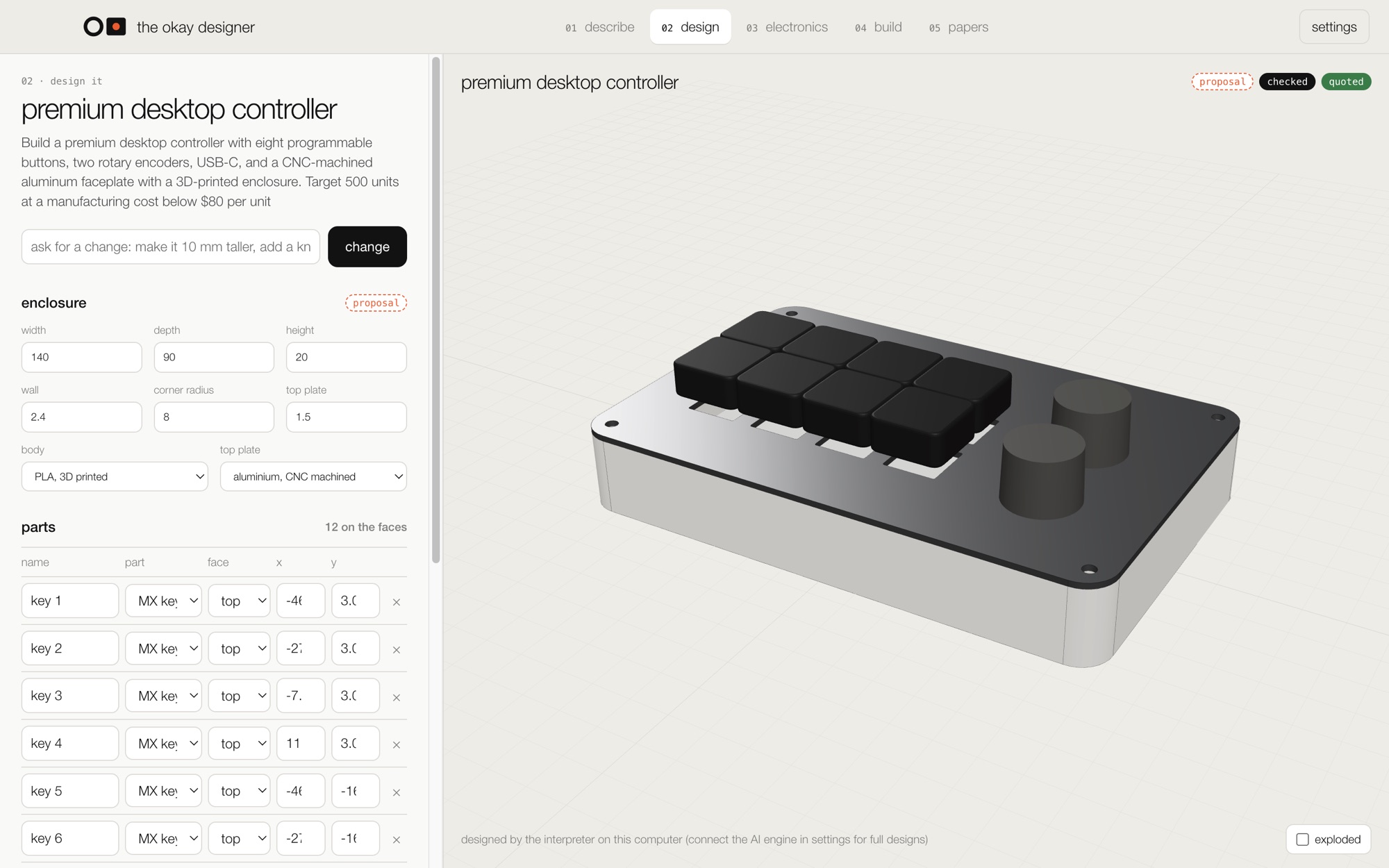
A parametric 3D model built by a real geometry kernel, the same one behind serious CAD. Change any size, move any part, or just ask: make it 10 mm taller, add a knob.

The design step: enclosure sizes, materials and every part's position beside the 3D model.

03

power it.

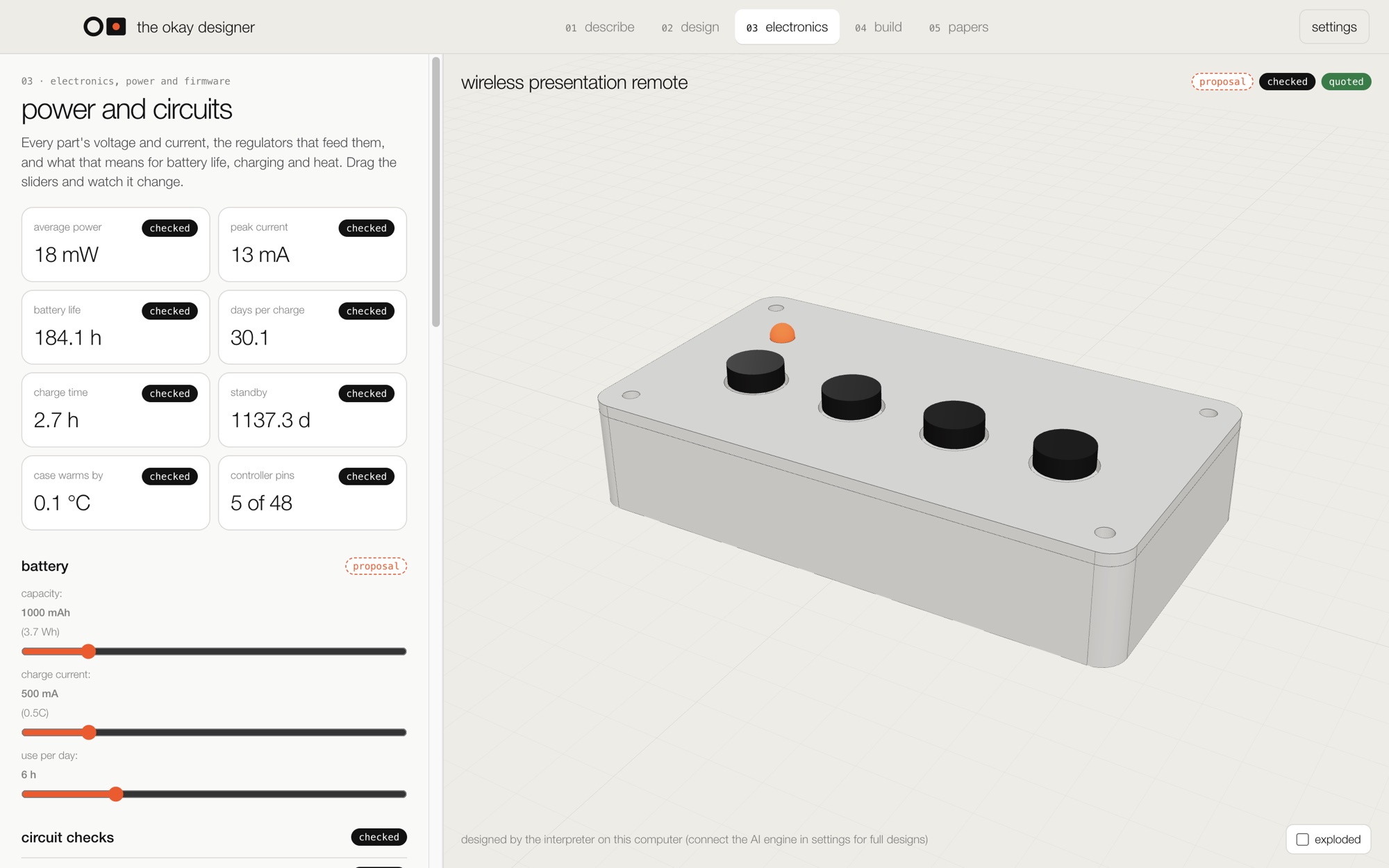
Every part's voltage and current, the regulators that feed them, and what that means: battery life, days per charge, charge time, standby, heat. Circuit checks catch the mistakes, from an LDO that drops out on a lithium cell to charging too fast.

The electronics step for a wireless remote: 30 days per charge, 2.7 hour charge time, circuit checks.

04

build it.

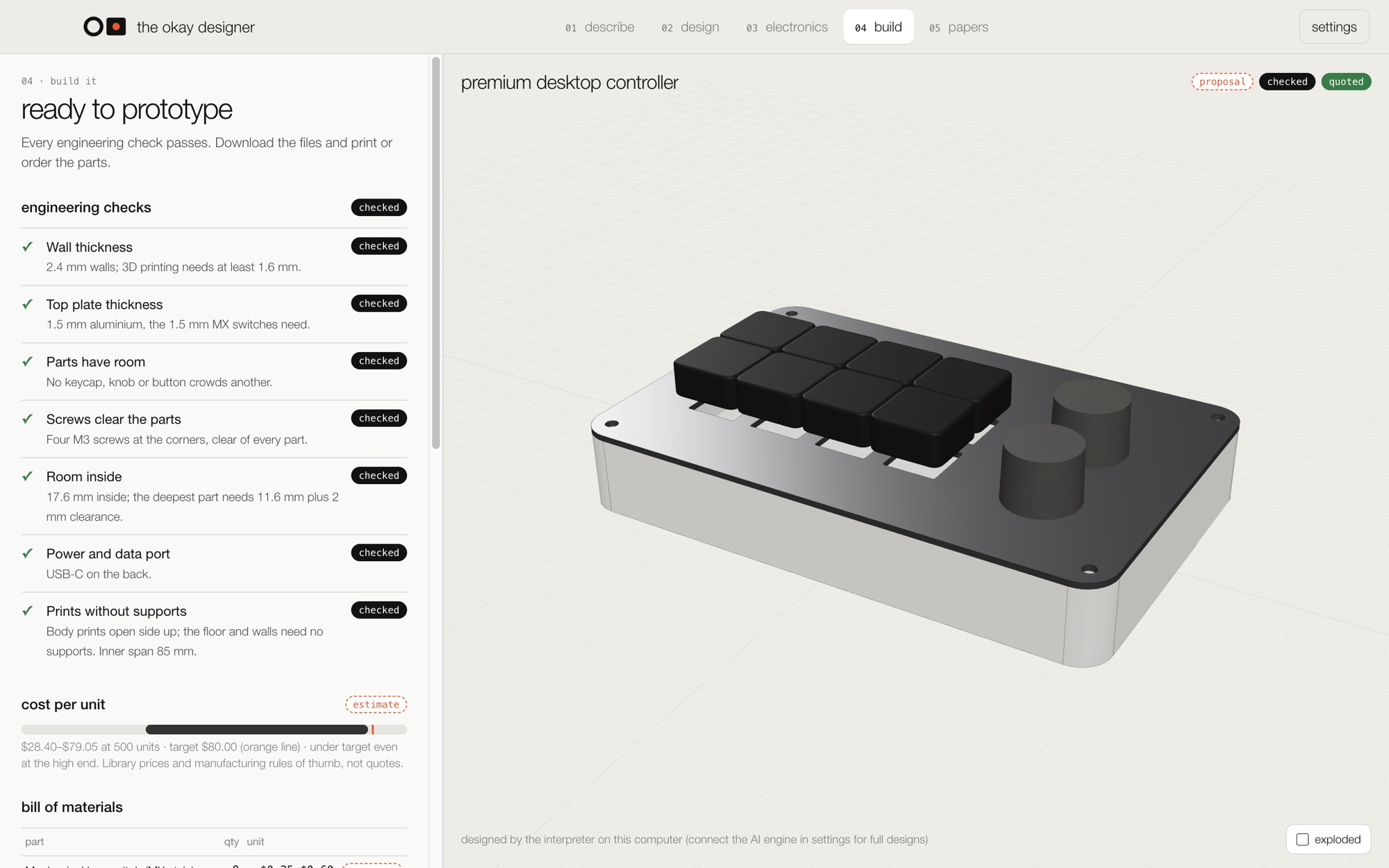
Engineering checks, a bill of materials, the cost against your target, and the files: STEP for the machine shop, STL for your printer, a BOM, and firmware to start from.

The build step: every engineering check passing, cost under target, production files.

05

see it.

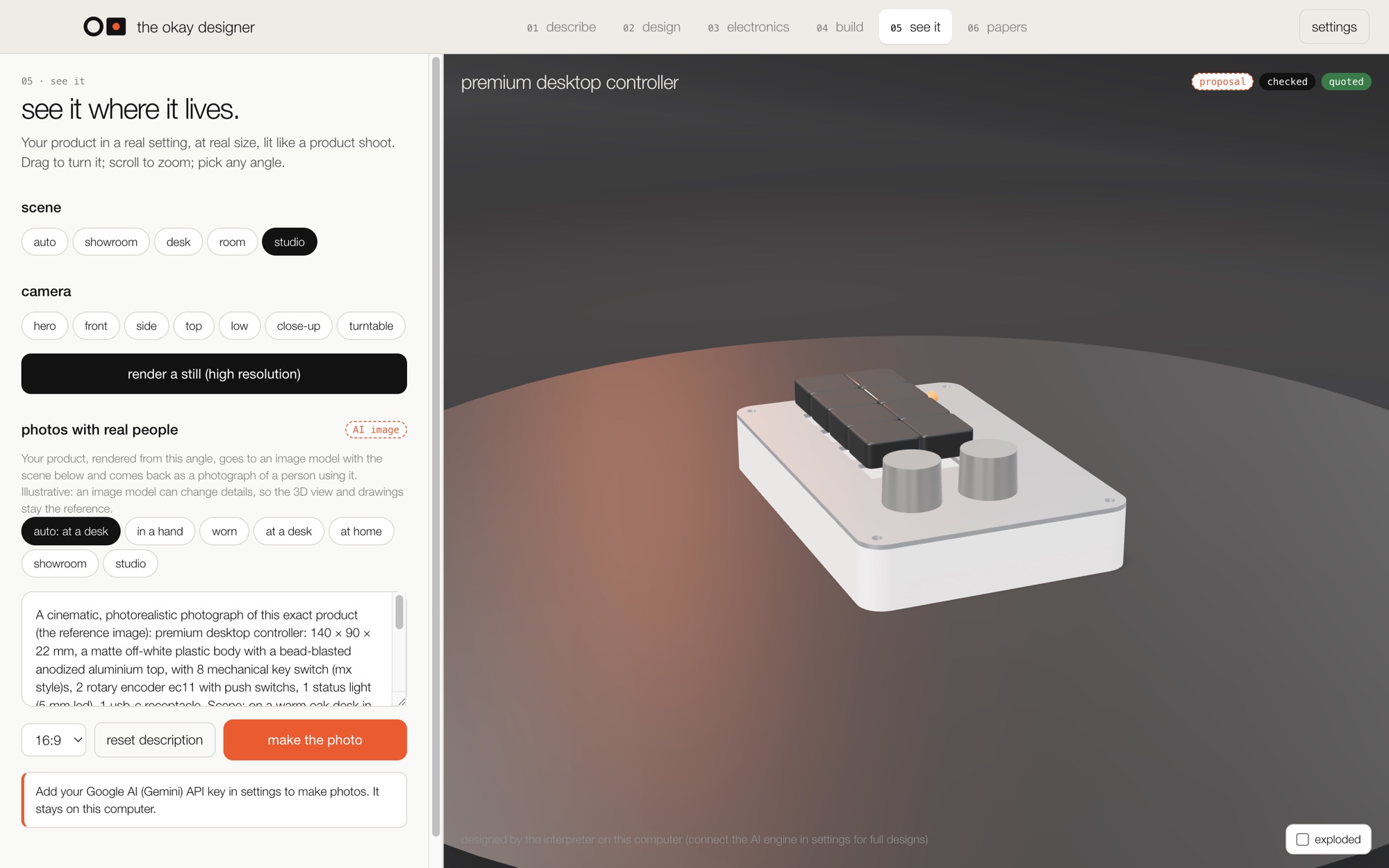
Your product where it lives, at real size, lit like a product shoot: a showroom, a desk, a room, a dark studio. Pivot to any angle and render a still. Or make a photo with real people, in a hand, worn or at a desk, made by an image model.

The see it step: the controller on a turntable in a dark studio, with scene, camera and photo controls.

06

the papers.

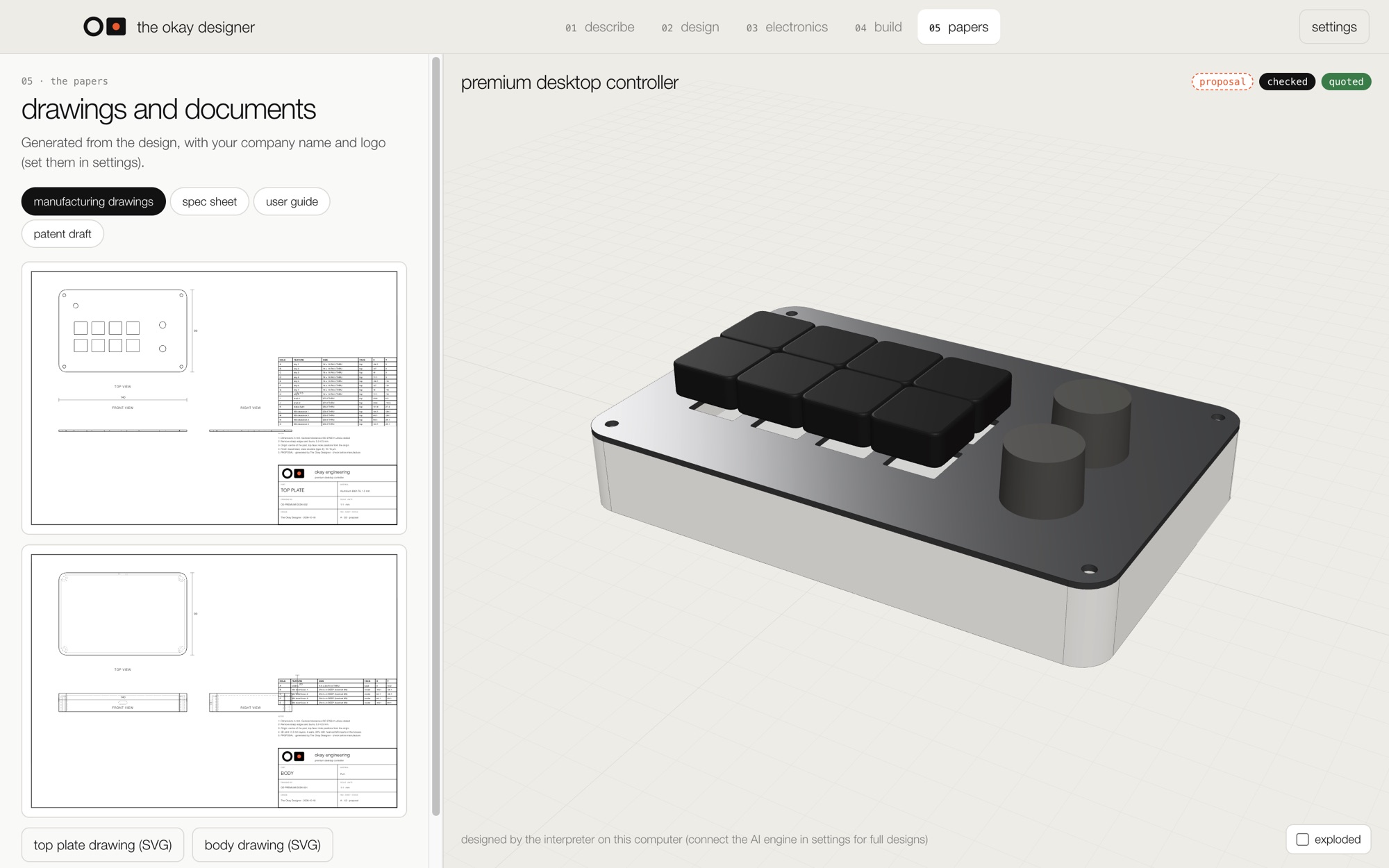
Manufacturing drawings with your company name and logo, a spec sheet, a user guide, and a patent draft for your attorney. All generated from the same design, so they always agree.

The papers step: an A3 manufacturing drawing with views, dimensions, a hole table and a title block.

honest by design.

A design that looks right isn't automatically safe or manufacturable. So every result says what it is.

proposal

Suggested by the engineer, not yet verified: a part choice, a material, a price range.

checked

Computed from your design by the app's engines: clearances, walls, power, battery life, circuit rules.

quoted

A real price from a real supplier. Coming next.

The AI proposes; deterministic engines build the geometry, run the checks and compute the power. Checked results still don't replace a prototype, an engineer's review or certification. The patent draft is not legal advice.

use it anywhere.

The Okay Designer 0.2.0 · macOS · Apple silicon · 150 MB

Works without an account. Add your own Anthropic API key in settings for the full AI engineer; without one, the built-in interpreter designs it and every engine works the same.

This first version isn't signed by Apple yet: the first time, right-click the app and choose Open.

download for mac

The Okay Designer on the web · any modern browser

The same app, nothing to install. The geometry engine runs in your browser; your designs and your key stay on your computer.

open in your browser